nubia Z60S Pro Revew

21 Август 2024, 13:08:57

nubia Z60S Pro Revew
You can buy nubia Z60S Pro from nubia's official store.

OS, UI and software

nubia Z60S Pro runs on Android 14 with MyOS 14.0 on top paired with the SyncMind AI engine. The MyOS overlay is very subtle visually leaving an almost stock Android feeling. It does, however, offer a lot more customization options than stock Android devices. The layout of the Lock Screen is quite minimalistic. It displays a small Clock widget and a tiny Date widget with a shortcut to the Camera app in the bottom right corner and a shortcut to more options in the bottom left corner. If you swipe up from there, you will access the torch and voice recorder shortcuts. The Home Screen has a stock Android layout with a Google search bar on top with Assistant and Lens integrated. These are followed by a Date and Time widget together with a Weather widget. The bottom is occupied by a row of favorite apps and a docked row of apps. There's a second desktop with favorite apps and Google Discover is on by default. Desktop shortcuts are supported.
An app drawer is the default way of listing all apps on the device and you can change that from the Home Settings. The Task Manager tiles the app previews horizontally. On top of each, there's a split-screen icon (if this function is supported by the app) and additional options such as access to the app info, lock/unlock the app from being cleared, and app pinning. You can also customize the Notifications shade and the Quick Settings in the way you access them. You can split the two and access the Notifications after a downward swipe from the top left of the screen and the Quick Settings after a downward swipe from the top right of the screen. You can opt for a classic layout when the two are displayed together.
The Customization picker contains a total of five options aligned horizontally at the bottom of the screen. From here, you can access the Wallpaper picker, the Themes and Personalization options, the list of Widgets, the screen transition effects, and the Home screen settings. The Home screen settings allow you to change the launcher mode, the icon layout, the app icons as well as enable/disable several features such as Google Discover, app auto-fill, etc. The Volume options have a customized design and layout. The Z-SmartSidebar is also on by default. This is the thin transparent bar appearing by default on the right border of the display. When expanded, it gives you direct to access to various apps and services. This feature can be customized from the Settings.
nubia Z60S Pro arrives with the following pre-installed applications: Booking, Browser, Calculator, Calendar, Camera, Chrome, Cleanup, Clock, Compass, Contacts, Drive, File Manager, Gmail, Google Discover, Keep Notes, Maps, Meet, Messages, Phone, Phone Switch, Photos, Play Store, Private Space, Safety, Settings, Voice Recorder, Wallet, Weather, YouTube, and YT Music.
Most of these apps retain the default Android layout and design. Examples of these are the Phone, Contacts, Messages, Calculator, and Keep Notes. The File manager, Voice recorder, and Calendar are different from the stock variant in terms of appearance. The Phone Switch app is used to transfer contacts, pictures, apps, and other data from one mobile to another. Private Space is an app that creates a special place for encrypted personal info, photos, videos, and other files. The Cleanup app allows you to clean space by managing images, videos, audio files, and apps.
The Settings app lists the various menus visually grouped into five parts. Each menu has a color symbol in front of it and the top is headed by a settings search bar. The first group is about connectivity. It comprises all available options for Wi-Fi, Bluetooth, Mobile network, and additional options for connected devices such as the Z-SmartCast, NFC, VPN, Quick Share, Android Auto, etc. The second group of settings begins with the Theme and Personalization menu. It lets you choose from nubia and Android themes, plenty of wallpapers, adjust the lock screen Time and Date widget, customize the app icons, the animation speed of screen transition, change the color and shape of the theme and its elements, adjust the system font, customize the AOD, fingerprint animation, and the SuperLock that displays various wallpapers. The second menu in the second group comprises the Home screen settings which can also be accessed from the Customization picker.
The Display settings comprise the standard Dark Mode, Read Mode, Night Light, Color mode & temperature, Brightness level, Automatic brightness, Font and Display size, screen timeout, screen refresh rate, display Gaussian blur, top area settings, full-screen display, and auto-rotate screen. The Notifications & status bar options offer the standard app notifications settings, history, conversations, bubbles, enhanced notifications, and lock screen options but also expanded options such as full-screen notification styles, status bar icons options, top panel style, and others. The Sound & Vibration closes off the second group of settings. It arrives with the usual options for sound modes, the four types of volume levels, DND settings, ringtones, and LiveCaption options. There are also advanced settings for DTS sound and Haptic feedback.
The third group of settings comprises only two menus. The first is called SyncMind. It comprises advanced settings for the 5G connectivity. These include smart antenna boosting, smart dual-SIM, and smart adaptive 5G. The second SyncMind feature is the Z-SmartSidebar. It can be opened with a swipe from the handle or with a swipe-and-hold gesture from either edge of the screen. You can also change its background opacity. Finally, there's the Floating Window option which teaches you to view a notification in a floating window, open an app from the Task Manager in a mini window, move and resize a floating window, turn it into a mini one, or directly turn a current app into a mini window. The second menu is called Features. From here, you can manage the sliding switch settings, the system navigation, the one-handed mode, the Z-POP floating dot, the record screen function, and the app duplicator. There are also options for mistouch prevention, gesture and motion, accessibility, and Google Assistant.
The fourth group of settings comprises six menus. The first manages the Apps with all the standard options, including screen time. The second manages the battery life and is described in detail in the Battery section of this review. The third is the Storage menu, followed by the Location one. The fifth menu is about Security & Privacy. Being an Android 14-based smartphone it now combines both. This entire section is in its stock Android design and functionality. The same applies to the last menu in the group - Safety & emergency.
The fifth group of options also contains stock Android features and options such as Users & Accounts, Digital wellbeing & Parental Control, Google settings, System, and About Phone. It is under the System menu that you will find the Languages and Keyboard options - separated in Android 14. From here, you can also access the Phone Switch function under Change Phone. There are also backup and system update options. The About phone menu provides the standard information - OS version, build number, model name, and basic specifications.

Последние обзоры

Список последних обзоров мобильных устройств, сделанные нами
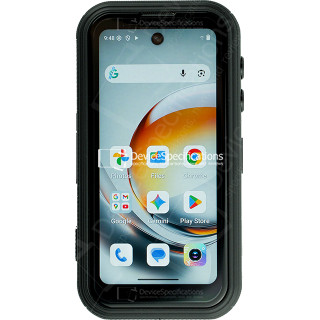
FOSSiBOT F116 Pro Review

FOSSiBOT F116 Pro Review

Размеры: 59.6 x 114.5 x 23 мм
Вес: 207 г
SoC: MediaTek Dimensity 7300 (MT6878)
Процессор: 4x 2.5 GHz ARM Cortex-A78, 4x 2.0 GHz ARM Cortex-A55, Количество ядер: 8
Графический процессор: ARM Mali-G615 MC2
Оперативная память: 12 ГБ, 2133 МГц
Встроенная память: 256 ГБ
Экран: 4 in, IPS, 540 x 1168 пикселей, 24 бит
Аккумулятор: 3700 мА·ч, Li-polymer (Литий-полимерный)
Oперационная система: Android 16
Камера: 8192 x 6144 пикселей, 3840 x 2160 пикселей, 30 кадров/сек

REDMAGIC 11 Air Review

REDMAGIC 11 Air Review

Размеры: 76.54 x 163.82 x 7.85 мм
Вес: 207 г
SoC: Qualcomm Snapdragon 8 Elite (SM8750-AB)
Процессор: 2x 4.32 GHz, 6x 3.53 GHz, Количество ядер: 8
Графический процессор: Qualcomm Adreno 750, 903 МГц
Оперативная память: 12 ГБ, 16 ГБ, 4800 МГц
Встроенная память: 256 ГБ, 512 ГБ
Экран: 6.85 in, Q10 AMOLED, 1216 x 2688 пикселей, 30 бит
Аккумулятор: 7000 мА·ч, Li-polymer (Литий-полимерный)
Oперационная система: Red Magic OS 11.0 (Android 16)
Камера: 8182 x 6144 пикселей, 7680 x 4320 пикселей, 30 кадров/сек
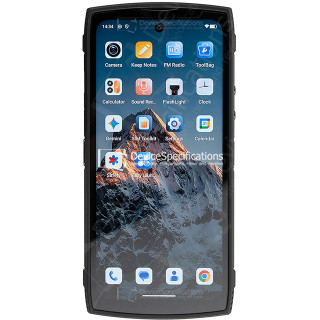
Lagenio Panther 2 Pro Review

Lagenio Panther 2 Pro Review

Размеры: 82 x 175.4 x 11.3 мм
Вес: 266 г
SoC: Unisoc T7250
Процессор: 2x 1.8 GHz ARM Cortex-A75, 6x 1.6 GHz ARM Cortex-A55, Количество ядер: 8
Графический процессор: ARM Mali-G57 MP1, 850 МГц
Оперативная память: 8 ГБ, 1866 МГц
Встроенная память: 256 ГБ
Экран: 6.7 in, IPS, 720 x 1600 пикселей, 24 бит
Аккумулятор: 5150 мА·ч, Li-polymer (Литий-полимерный)
Oперационная система: Android 15
Камера: 8160 x 6128 пикселей, 1920 x 1080 пикселей, 30 кадров/сек

Oukitel WP55 Pro Review

Oukitel WP55 Pro Review

Размеры: 81 x 172.2 x 15.3 мм
Вес: 360 г
SoC: MediaTek Dimensity 7025 (MT6855V)
Процессор: 2x 2.5 GHz ARM Cortex-A78, 6x 2.0 GHz ARM Cortex-A55, Количество ядер: 8
Графический процессор: IMG BXM-8-256, 950 МГц
Оперативная память: 16 ГБ, 3200 МГц
Встроенная память: 512 ГБ
Экран: 6.6 in, IPS, 1080 x 2408 пикселей, 24 бит
Аккумулятор: 11000 мА·ч, Li-polymer (Литий-полимерный)
Oперационная система: Android 15
Камера: 12000 x 9000 пикселей, 2560 x 1440 пикселей, 30 кадров/сек

FOSSiBOT F107 Pro Review

FOSSiBOT F107 Pro Review

Размеры: 90.6 x 190.1 x 39.95 мм
Вес: 910 г
SoC: MediaTek Dimensity 7300 (MT6878)
Процессор: 4x 2.5 GHz ARM Cortex-A78, 4x 2.0 GHz ARM Cortex-A55, Количество ядер: 8
Графический процессор: ARM Mali-G615 MC2
Оперативная память: 12 ГБ, 2133 МГц
Встроенная память: 512 ГБ
Экран: 6.95 in, IPS, 1080 x 2460 пикселей, 24 бит
Аккумулятор: 28000 мА·ч, Li-polymer (Литий-полимерный)
Oперационная система: Android 15
Камера: 16320 x 12288 пикселей, 3840 x 2160 пикселей, 30 кадров/сек

REDMAGIC 11 Pro Global Review

REDMAGIC 11 Pro Global Review

Размеры: 76.54 x 163.82 x 8.9 мм
Вес: 230 г
SoC: Qualcomm Snapdragon 8 Elite Gen 5 (SM8850-AC)
Процессор: 2x 4.61 GHz Oryon, 6x 3.63 GHz Oryon, Количество ядер: 8
Графический процессор: Qualcomm Adreno 840 (829), 768 МГц
Оперативная память: 12 ГБ, 16 ГБ, 24 ГБ, 5333 МГц
Встроенная память: 256 ГБ, 512 ГБ, 1024 ГБ
Экран: 6.85 in, AMOLED, 1216 x 2688 пикселей, 30 бит
Аккумулятор: 7500 мА·ч, Li-polymer (Литий-полимерный)
Oперационная система: Red Magic OS 11 (Android 16)
Камера: 8182 x 6144 пикселей, 7680 x 4320 пикселей, 30 кадров/сек

Ulefone Armor Pad 5 Ultra Review

Ulefone Armor Pad 5 Ultra Review

Размеры: 269.7 x 179.5 x 27.8 мм
Вес: 1600 г
SoC: MediaTek Dimensity 7400X (MT6878V/TFZA)
Процессор: 4x 2.6 GHz ARM Cortex-A78, 4x ARM Cortex-A55, Количество ядер: 8
Графический процессор: ARM Mali-G615 MC2
Оперативная память: 12 ГБ, 2133 МГц
Встроенная память: 512 ГБ
Экран: 10.95 in, IPS, 1920 x 1200 пикселей, 24 бит
Аккумулятор: 24200 мА·ч, Li-polymer (Литий-полимерный)
Oперационная система: Android 15
Камера: 9280 x 6920 пикселей, 3840 x 2160 пикселей, 30 кадров/сек
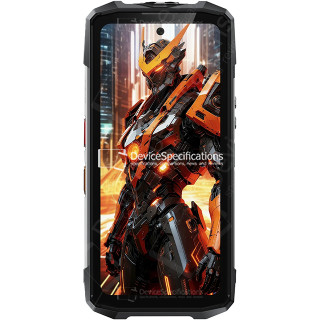
FOSSiBOT F113 Review

FOSSiBOT F113 Review

Размеры: 89.2 x 186.2 x 31.6 мм
Вес: 699 г
SoC: MediaTek Dimensity 7050 (MT6877V)
Процессор: 2x 2.6 GHz ARM Cortex-A78, 6x 2.0 GHz ARM Cortex-A55, Количество ядер: 8
Графический процессор: ARM Mali-G68 MC4, 950 МГц
Оперативная память: 12 ГБ, 2133 МГц
Встроенная память: 256 ГБ
Экран: 6.78 in, IPS, 1080 x 2460 пикселей, 24 бит
Аккумулятор: 20000 мА·ч, Li-polymer (Литий-полимерный)
Oперационная система: Android 15
Камера: 8120 x 6180 пикселей, 3840 x 2160 пикселей, 30 кадров/сек
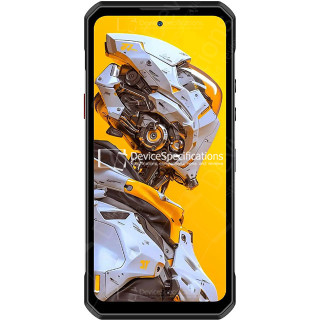
Oukitel WP60 Review

Oukitel WP60 Review

Размеры: 87 x 184.4 x 14.9 мм
Вес: 396 г
SoC: MediaTek Dimensity 7025 (MT6855V)
Процессор: 2x 2.5 GHz ARM Cortex-A78, 6x 2.0 GHz ARM Cortex-A55, Количество ядер: 8
Графический процессор: IMG BXM-8-256, 950 МГц
Оперативная память: 16 ГБ, 3200 МГц
Встроенная память: 512 ГБ
Экран: 7.2 in, IPS, 720 x 1560 пикселей, 24 бит
Аккумулятор: 10000 мА·ч, Li-polymer (Литий-полимерный)
Oперационная система: Android 15
Камера: 12000 x 9000 пикселей, 3840 x 2160 пикселей, 30 кадров/сек