OS, UI and software
Xiaomi Mi 8 Lite runs on MIUI 9.6 based on Android 8.1 Oreo. The exact MIUI version of our review unit is
MIUI 9.6 | Stable 9.6.6.0 (ODTCNFD). Xiaomi has promised an MIUI 10 upgrade for this model but at the time of this review, it is not available yet. The Lock Screen is a traditional MIUI one. In the bottom right corner, there's the shortcut to the Camera app and you have to swipe left to open it. In the bottom left corner, there's a shortcut to a page with selected tools - Mi Remote, Torch and Wallpaper Carousel. The latter is disabled by default. A simple swipe up from the bottom of the screen unlocks the device and you land on the Home screen. It contains a Weather widget, which can be removed. As usual, all apps and folders are placed on the Home screen and successive desktops above a docked row of apps. The latter contains the Dialer, Messenger, Browser and Camera. A swipe to the right of the Home screen opens the favourites tray called App Vault with shortcuts to preferred services, apps, features, information sources, notes, step counter, etc. You can customize it to your liking. In the Chinese MIUI versions, you can choose whether the Notifications and Quick Settings should be shown split into two successive screens or should be shown together. The design of both is the same as the one on previous MIUI versions and does not reflect the new Android Oreo paradigms. The usual search bar with GQ scanning options has been removed.
If you zoom in with two fingers on an empty area on any of the desktops or simply touch and hold on that space, you will open the Widgets menu, which offers a choice of wallpapers and widgets, window transition effects and home screen settings. The home screen settings can also be accessed from the main Settings menu. From here you can choose a default launcher (in this version of MIUI you finally get an access to a second one), set the default desktop, fill the empty cells, lock the home screen layout, switch on/off the favourites tray, which was named QuickCard in MIUI 9.0 and has been called AppVault ever since MIUI 9.5. The Task Manager tiles the apps horizontally. If you drag a window downwards, you will lock the app from being cleared with the Clear All icon. It also supports split-screen mode, which can be activated by the dedicated icon in the top left corner of the Task Manager or simply by dragging an app to the top of the screen. MIUI 9.5 was the first MIUI version to support split-screen mode and in MIUI 9.6 some apps still don't support it. The Volume shade with three slides and silent mode toggle as well as the Power off screen remain the same as in the latest Nougat-based MIUI version.
It is a typical MIUI feature that all applications are installed directly on the screens following the Home one and the docked apps appear at the bottom on each one of them. Removing an app uninstalls it directly after a confirmation dialogue. The Dialer and Contacts in MIUI appear as separate tabs in one and the same application, though they are available as separate app icons as well. It looks like the removal of the Yellow Pages tab is a permanent decision as it was lacking in MIUI 9.5, too. The Messenger is quite simple and remains a separate app. The MIUI File Manager also contains three tabs - Recents (recently stored/opened files), Categories (files sorted in folders according to their type such as Docs, Videos, Images, Music, etc.), and Storage, which lists all files in their corresponding folders. It contains a shortcut to the Cleaner and Mi Drop. The Browser has been updated a bit and now the settings shade contains data about your MI account as a header. The proprietary Clock, Sound recorder and Screen recorder apps can be accessed from the Tools folder. The in-house developed Calculator is known for providing not only a classic and scientific version of a calculator, but also containing options for converting metric units and, currencies, calculating mortgages, etc. The Calendar and Gallery apps remain largely unchanged. So does the Notes application.
The Weather app has gone a slight re-design and you also get the usual Compass and Level found in the Tools folder, where you will also find the QR Scanner, Downloads, Feedback, Mail, Mi Roaming, Radio, Mi Remote and the Mi AI voice assistant. The latter is available only in the Chinese MIUI and supports only Chinese language. There are some proprietary Xiaomi applications such as App Store, Games, News, Videos, Mi Live, Mi Wallet, Reader all of which offer content in Chinese and are part of MIUI's media ecosystem. There's a Mi Home app which serves as a one-point hub for managing your smart home devices such as the Mi Air Purifier for example. The Music application has been entirely redesigned ever since MIUI 9.5 and will be discussed in the Audio section of this review. The device also arrives with the Mi Talk, Mi Life and Baidu Map apps, which are placed in the third-party applications folder called More Apps. It is where you will also find TaoBao, AliPay, Qunar Travel, etc.
The Themes application is traditional for Chinese versions of MIUI. It gives you access to tons of online themes, wallpapers, ringtones, and Chinese fonts. It is also a one-point manager of all themes, wallpapers, ringtones and fonts you have on your device and allows you to customize the lock style, status bar, icons, desktops, dial pad, etc. The most noteworthy of all typical MIUI applications is the Security one. It made its first appearance in the first MIUI 8 and is dedicated to monitoring your device and optimizing its performance. The app provides lots of features, but there are four main ones - Cleaner for optimizing the internal storage by cleaning unnecessary files, Security scan, Boost speed and Battery usage. The latter will be discussed in the Battery section of this review. The Security app also contains Data usage monitor and combines in one place all app management features such as app lock, permissions, dual apps, etc. Additional features that can be accessed from the Security app are the Blocklist, Deep clean, Game speed booster, Second Space, etc.
Тhe Settings menu follows the latest MIUI design paradigm instead of the default Android Oreo style. Being a Chinese ROM it also lacks the Security Status - a typical Oreo feature that contains the Find My Device service, Google Play Protect, and Security Update. These are available only in the global MIUI ROMs. The Settings begin with the My Device menu that contains data about the current software version, main device specifications, device name, model number, Mi Store, legal data. The second group of settings is the Network one for managing the Wi-Fi, Bluetooth, Portable and other wireless connections, SIM cards, data usage and mobile networks. These include some new features as well such as the Oreo-bound Wi-Fi assistant, Share QR code and One-time data limit for the Portable hotspot menu. The third menu is named Personal and manages the Display, Wallpapers, Themes and Sounds & Vibrations. The Display menu contains the usual Brightness level with Night mode, Reading mode (off by default), the Contrast & colours menu, which is its most significant feature and may alter the way you perceive the screen of your unit depending on the combination you choose. From here you can also change the font style and size, switch on/off the auto-rotation of the screen and the double tap to wake feature. The Sound & vibration menu offers nothing new as options - there are three volume bars, Silent mode toggle, ringtones, notifications and system sounds. The Audio settings are removed from here and can be accessed from a separate menu under the Additional settings as well as from the Music app. They contain options for adjusting the headphones, choosing a type of earphones, a toggle for the Mi Sound Enhancer, and Equalizer.
System & device is the name of the largest group of settings and its first menu contains the Lock screen & password options. From here you can create and manage fingerprint IDs, fingerprint payments, set a screen lock and privacy protection password as well as set up your lock screen - shortcuts, smart cover mode, etc. From this menu, you also set and manage your face ID for unlocking the device. The Wallpaper Carousel menu is located in the Lock screen settings as well. The Notifications & status bar settings are second in this group. Being a Chinese MIUI, it gives you the option to split the Notifications and Quick Settings followed by app notifications management, quick settings toggles editing, the status bar and notification shade. The Home screen settings come third and are the same ones that you can access from the Widgets menu. They allow you to choose a default launcher, lock the home screen layout and others. A new menu in the System & device group of settings has appeared called Full-Screen Display. It allows you to either use on-screen navigation bar or on-screen gestures and hide the virtual buttons. It also includes a list of apps that support the fullscreen mode.
Second space is the next in line. It has been part of MIUI for quite some time and allows you to have two separate virtual places on one physical handset. If you activate the second space, a Switch icon appears on the home screen and you can easily switch between the two. This menu is followed by the Battery & performance (to be discussed in the corresponding part of this review), Storage, and MIUI Lab. The last group of options under System & device is the Additional settings, which offers plenty of features for customising the way you interact with the device. It contains the Date and Time, Language and Region settings, detailed Privacy settings. The Language menu offers a choice of five languages, including English - this is typical for the Chinese MIUI. MIUI 9.6 is the first MIUI for feature the Oreo-bound Autofill service. The Privacy settings give you a finer control over your data and app usage but lack yet another typical Oreo feature - picture-in-picture. In the Additional Settings group, you will also find the Quick Ball menu, from where you can activate and customize a floating dot, which is yet another type of navigation, manage the notification light and headphones & audio effects, activate/deactivate the one-handed mode. There's an additional menu called Button and gesture shortcuts from where you can set up quick shortcuts for launching the Camera, Xiao AI voice assistant, take a screenshot, turn off the screen, turn on the torch, close the current app, open split screen, show the task manager, etc. You can also choose the apps in which the navigation buttons will be automatically disabled when you open them. From the Additional Settings group, you can also manage the LED notification light and switch on/off the One-handed mode. The Accessibility menu is a large part of the Additional Settings and offers plenty of features, including turning on/off Xiao AI, Game speed booster, App vault and other downloadable services that are not typical for Android Oreo. The last menus in the Additional settings are the Mi Mover, Backup and reset, Printing services. The Accounts group comes next and manages your Mi Account and any other accounts you might have. The last group of settings is dedicated to the applications on the handset. It separates the system ones from the additionally installed apps and provides individual settings for each one of them. From this section you can also manage the App Lock, Permissions and Dual App feature, all found as services under the Security application. The Feedback menu is the last and is the same as the Feedback app - an option to send your feedback directly to Xiaomi.

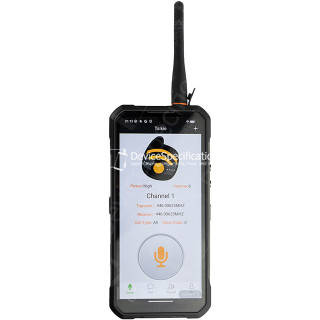
Dimensions: 85 x 179.5 x 27.5 mm
Weight: 651 g
SoC: MediaTek Dimensity 7025 (MT6855V)
CPU: 2x 2.5 GHz ARM Cortex-A78, 6x 2.0 GHz ARM Cortex-A55, Cores: 8
GPU: IMG BXM-8-256, 950 MHz
RAM: 12 GB, 3200 MHz
Storage: 512 GB
Display: 6.78 in, IPS, 1080 x 2460 pixels, 24 bit
Battery: 20000 mAh, Li-Polymer
OS: Android 16
Camera: 12000 x 9000 pixels, 2560 x 1440 pixels, 25 fps
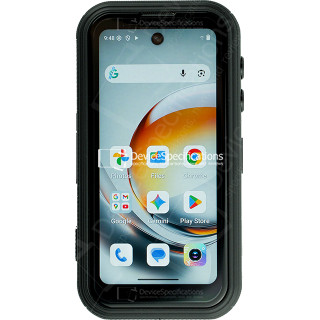
Dimensions: 59.6 x 114.5 x 23 mm
Weight: 207 g
SoC: MediaTek Dimensity 7300 (MT6878)
CPU: 4x 2.5 GHz ARM Cortex-A78, 4x 2.0 GHz ARM Cortex-A55, Cores: 8
GPU: ARM Mali-G615 MC2
RAM: 12 GB, 2133 MHz
Storage: 256 GB
Display: 4 in, IPS, 540 x 1168 pixels, 24 bit
Battery: 3700 mAh, Li-Polymer
OS: Android 16
Camera: 8192 x 6144 pixels, 3840 x 2160 pixels, 30 fps
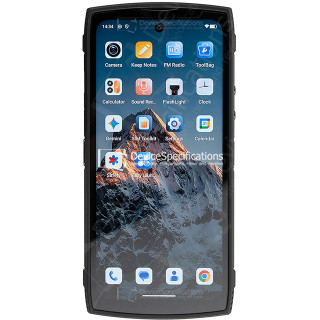
Dimensions: 76.54 x 163.82 x 7.85 mm
Weight: 207 g
SoC: Qualcomm Snapdragon 8 Elite (SM8750-AB)
CPU: 2x 4.32 GHz, 6x 3.53 GHz, Cores: 8
GPU: Qualcomm Adreno 830, 1100 MHz
RAM: 12 GB, 16 GB, 4800 MHz
Storage: 256 GB, 512 GB
Display: 6.85 in, Q10 AMOLED, 1216 x 2688 pixels, 30 bit
Battery: 7000 mAh, Li-Polymer
OS: Red Magic OS 11.0 (Android 16)
Camera: 8182 x 6144 pixels, 7680 x 4320 pixels, 30 fps
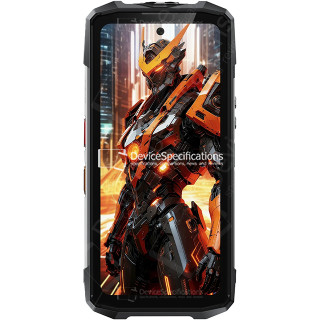
Dimensions: 82 x 175.4 x 11.3 mm
Weight: 266 g
SoC: Unisoc T7250
CPU: 2x 1.8 GHz ARM Cortex-A75, 6x 1.6 GHz ARM Cortex-A55, Cores: 8
GPU: ARM Mali-G57 MP1, 850 MHz
RAM: 8 GB, 1866 MHz
Storage: 256 GB
Display: 6.7 in, IPS, 720 x 1600 pixels, 24 bit
Battery: 5150 mAh, Li-Polymer
OS: Android 15
Camera: 8160 x 6128 pixels, 1920 x 1080 pixels, 30 fps
Dimensions: 81 x 172.2 x 15.3 mm
Weight: 360 g
SoC: MediaTek Dimensity 7025 (MT6855V)
CPU: 2x 2.5 GHz ARM Cortex-A78, 6x 2.0 GHz ARM Cortex-A55, Cores: 8
GPU: IMG BXM-8-256, 950 MHz
RAM: 16 GB, 3200 MHz
Storage: 512 GB
Display: 6.6 in, IPS, 1080 x 2408 pixels, 24 bit
Battery: 11000 mAh, Li-Polymer
OS: Android 15
Camera: 12000 x 9000 pixels, 2560 x 1440 pixels, 30 fps
Dimensions: 90.6 x 190.1 x 39.95 mm
Weight: 910 g
SoC: MediaTek Dimensity 7300 (MT6878)
CPU: 4x 2.5 GHz ARM Cortex-A78, 4x 2.0 GHz ARM Cortex-A55, Cores: 8
GPU: ARM Mali-G615 MC2
RAM: 12 GB, 2133 MHz
Storage: 512 GB
Display: 6.95 in, IPS, 1080 x 2460 pixels, 24 bit
Battery: 28000 mAh, Li-Polymer
OS: Android 15
Camera: 16320 x 12288 pixels, 3840 x 2160 pixels, 30 fps
Dimensions: 76.54 x 163.82 x 8.9 mm
Weight: 230 g
SoC: Qualcomm Snapdragon 8 Elite Gen 5 (SM8850-AC)
CPU: 2x 4.61 GHz Oryon, 6x 3.63 GHz Oryon, Cores: 8
GPU: Qualcomm Adreno 840 (829), 768 MHz
RAM: 12 GB, 16 GB, 24 GB, 5333 MHz
Storage: 256 GB, 512 GB, 1024 GB
Display: 6.85 in, AMOLED, 1216 x 2688 pixels, 30 bit
Battery: 7500 mAh, Li-Polymer
OS: Red Magic OS 11 (Android 16)
Camera: 8182 x 6144 pixels, 7680 x 4320 pixels, 30 fps
Dimensions: 269.7 x 179.5 x 27.8 mm
Weight: 1600 g
SoC: MediaTek Dimensity 7400X (MT6878V/TFZA)
CPU: 4x 2.6 GHz ARM Cortex-A78, 4x ARM Cortex-A55, Cores: 8
GPU: ARM Mali-G615 MC2
RAM: 12 GB, 2133 MHz
Storage: 512 GB
Display: 10.95 in, IPS, 1920 x 1200 pixels, 24 bit
Battery: 24200 mAh, Li-Polymer
OS: Android 15
Camera: 9280 x 6920 pixels, 3840 x 2160 pixels, 30 fps
Dimensions: 89.2 x 186.2 x 31.6 mm
Weight: 699 g
SoC: MediaTek Dimensity 7050 (MT6877V)
CPU: 2x 2.6 GHz ARM Cortex-A78, 6x 2.0 GHz ARM Cortex-A55, Cores: 8
GPU: ARM Mali-G68 MC4, 950 MHz
RAM: 12 GB, 2133 MHz
Storage: 256 GB
Display: 6.78 in, IPS, 1080 x 2460 pixels, 24 bit
Battery: 20000 mAh, Li-Polymer
OS: Android 15
Camera: 8120 x 6180 pixels, 3840 x 2160 pixels, 30 fps
Dimensions: 73.87 x 159.87 x 8.09 mm
Weight: 179 g
SoC: Qualcomm Snapdragon 680 (SM6225)
CPU: 4x 2.4 GHz Cortex-A73, 4x 1.9 GHz Cortex-A53 (Kryo 265), Cores: 8
GPU: Qualcomm Adreno 610, 1114 MHz
RAM: 4 GB, 6 GB, 2133 MHz
Storage: 64 GB, 128 GB
Display: 6.43 in, AMOLED, 1080 x 2400 pixels, 24 bit
Battery: 5000 mAh, Li-Ion
OS: MIUI 13 (Android 11)
Camera: 50 MP, 1920 x 1080 pixels, 30 fps
Dimensions: 75.57 x 161.95 x 9.56 mm
Weight: 192 g
SoC: MediaTek Helio G88 (MT6769H)
CPU: 2x 2.0 GHz ARM Cortex-A75, 6x 1.8 GHz ARM Cortex-A55, Cores: 8
GPU: ARM Mali-G52 2EEMC2, 1000 MHz
RAM: 4 GB, 6 GB, 1800 MHz
Storage: 64 GB, 128 GB
Display: 6.5 in, IPS, 1080 x 2400 pixels, 24 bit
Battery: 6000 mAh, Li-Ion
OS: MIUI 12.5 (Android 11)
Camera: 8190 x 6120 pixels, 1920 x 1080 pixels, 30 fps
Dimensions: 76.9 x 164.1 x 8.8 mm
Weight: 204 g
SoC: Qualcomm Snapdragon 888 (SM8350)
CPU: 1x 2.84 GHz Cortex-X1, 3x 2.42 GHz Cortex-A78, 4x 1.8GHz Cortex-A55 (Kryo 680)
GPU: Qualcomm Adreno 660, 840 MHz
RAM: 8 GB, 12 GB, 3200 MHz
Storage: 128 GB, 256 GB
Display: 6.67 in, AMOLED, 1080 x 2400 pixels, 30 bit
Battery: 5000 mAh, Li-Polymer
OS: MIUI 12.5 (Android 11)
Camera: 12000 x 9000 pixels, 7680 x 4320 pixels, 30 fps
Dimensions: 77.93 x 163.1 x 7.98 mm
Weight: 219 g
SoC: Qualcomm Snapdragon 8s Gen 4 (SM8735)
CPU: 1x 3.21 GHz X4, 2x 2.9 GHz A720, 3x 3.01 GHz A720, 2x 2.8 GHz A720, 2x 2.01 GHz A720
GPU: Qualcomm Adreno 825
RAM: 12 GB, 16 GB, 4800 MHz
Storage: 256 GB, 512 GB, 1024 GB
Display: 6.83 in, AMOLED, 1280 x 2772 pixels, 36 bit
Battery: 7550 mAh, Li-Polymer
OS: Xiaomi HyperOS 2.0 (Android 15)
Camera: 8120 x 6180 pixels, 3840 x 2160 pixels, 60 fps
Dimensions: 74.5 x 160.46 x 8.29 mm
Weight: 178 g
SoC: MediaTek Helio G95 (MT6785V/CD)
CPU: 2x 2.05 GHz ARM Cortex-A76, 6x 2.0 GHz ARM Cortex-A55, Cores: 8
GPU: ARM Mali-G76 MC4, 900 MHz
RAM: 6 GB, 8 GB, 2133 MHz
Storage: 64 GB, 128 GB
Display: 6.43 in, Super AMOLED, 1080 x 2400 pixels, 24 bit
Battery: 5000 mAh, Li-Ion
OS: MIUI 12.5 (Android 11)
Camera: 9280 x 6920 pixels, 3840 x 2160 pixels, 30 fps