Redmi K30 Review
10 February 2020, 04:44:48

OS, UI and software
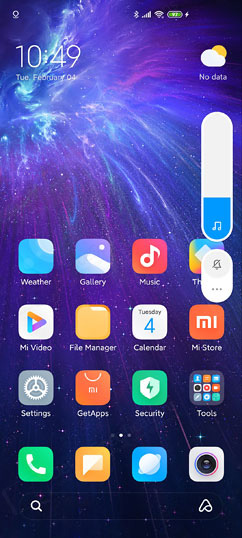
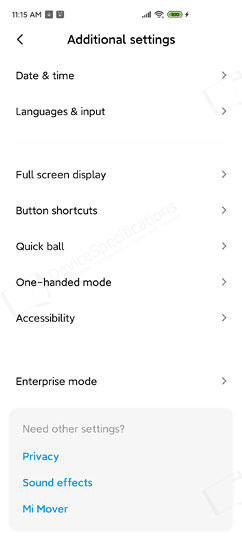
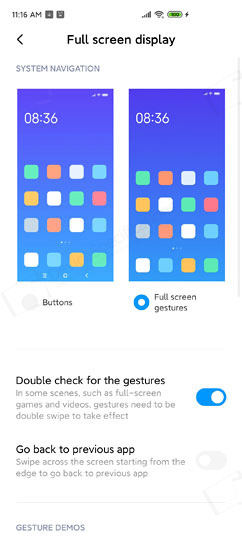
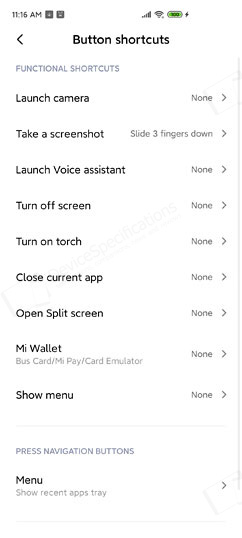
MIUI has gone a long way ever since its introduction with the past couple of years being really interesting. Xiaomi's UI is now very mature and its latest version - MIUI 11, which is based on Android 10, looks a lot like Samsung's One UI. Especially, when you go through the Settings app. At the same time, it retains the typical MIUI features and apps while offering some differences compared to MIUI 10. MIUI 11 arrives without the Google Play Store and related apps. However, from Xiaomi's GetApps you can download Google Play services, including Play Store.Xiaomi Redmi K30 runs on MIUI 11.0.10 (Stable) based on Android 10. The dual local/Chinese time on the Lock Screen is removed. A simple Time/Date widget is provided, instead, and you can customize that way it looks and where it should be on the screen. The standard shortcuts to the Camera and useful tools remain unchanged. A simple swipe unlocks the device and you land on the Home Screen. As usual, MIUI offers plenty of customization options for it. By default, it is without an App Drawer but you can change that from the Home Screen settings. Desktop shortcuts continue to be supported. It was a first in alter MIUI 10 versions.
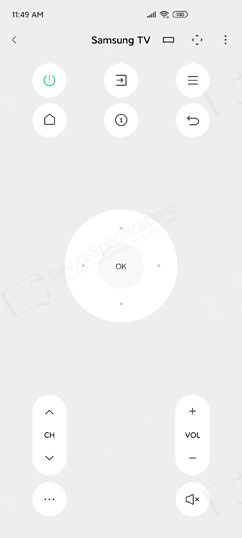
At the bottom of the Home Screen, there's a search bar, which is also voice command enabled. You get plenty of settings for this one as well, including an option for removing it from the Home Screen. The rest of the apps are listed on the second desktop. Third-party apps are placed in the usual More Apps folder and there's a Tools folder as well. A swipe to the right from the Home Screen opens the App Vault with shortcuts to preferred services, apps, features, information sources, notes, step counter, etc. You can customize it to your liking or completely switch it off from the home screen settings.

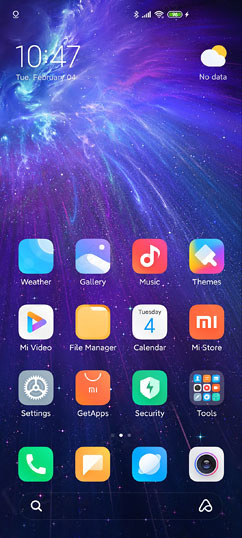
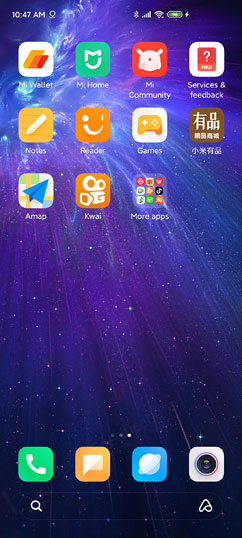


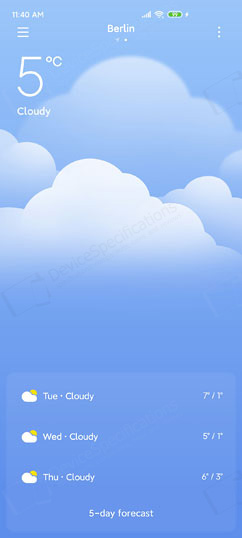
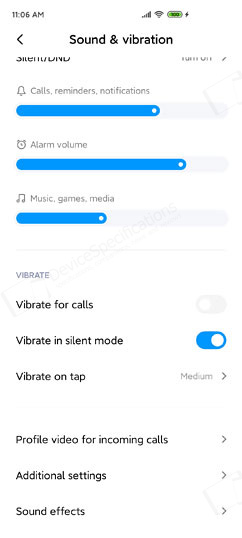
The Widgets menu is accessed in a familiar way and provides a choice of wallpapers and widgets, window transition effects and home screen settings. The latter can also be accessed from the main Settings menu. The Volume controls show the sliders vertically and have two levels of appearance - collapsed and expanded. The collapsed one shows only the slider for the current type of volume (media, alarms, calls) and a shortcut to the Silent mode. When you click on the three dots, you get the expanded view with all volume sliders and the two shortcuts to the Silent and DND modes.
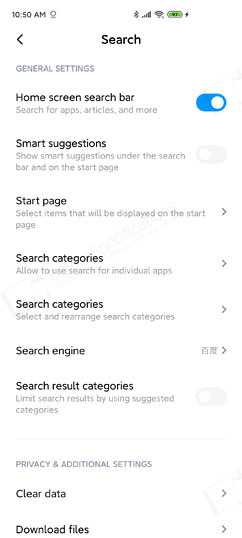


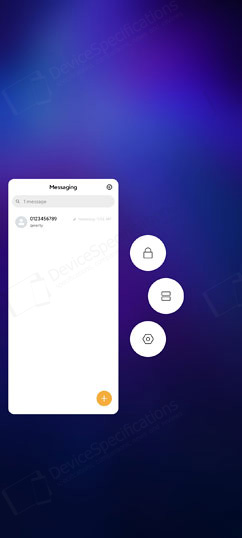







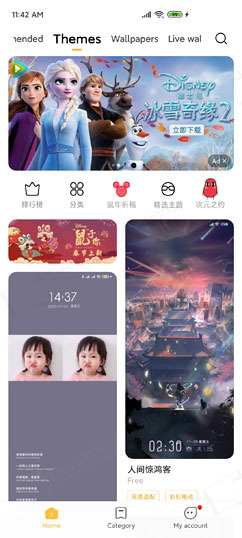







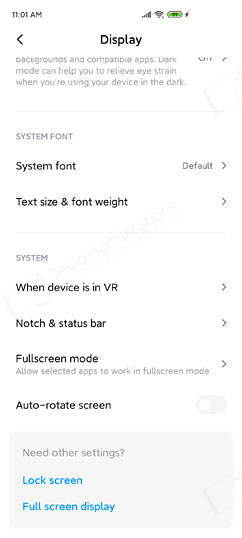
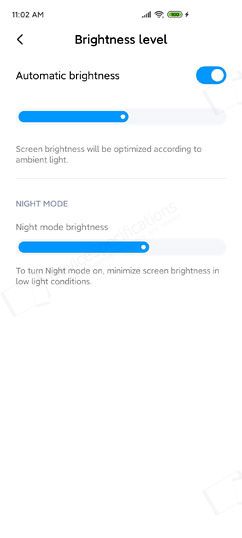
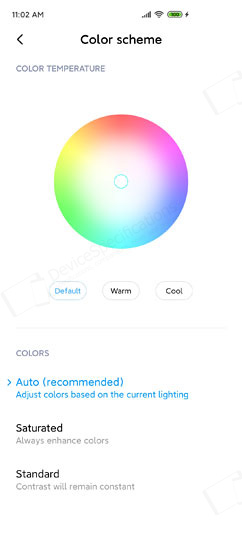
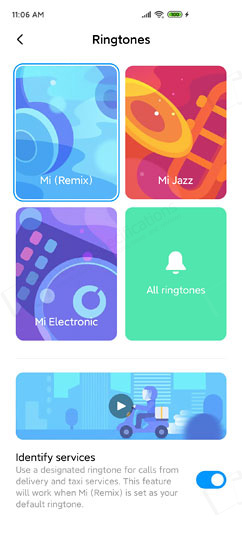
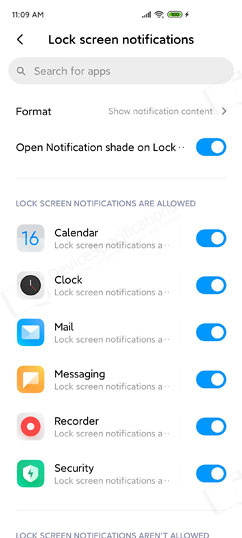
The third group of menus includes settings for the Lock Screen, Display, Sound & Vibration, Notifications, Home Screen, Wallpapers, Themes. The Lock Screen menu includes toggles for Raise-to-Wake, Double-tap-to-wake features, Wallpaper Carousel settings, clock format, etc. The Display menu manages the brightness level, reading mode, refresh rate - 60Hz or 120Hz, Dark Mode, System font style/size/weight, options for various designs of the notch and the status bar. The Dark Mode and the Notch options were introduced on later MIUI 10 versions. Of course, there's the Color Scheme menu from where you can set up the display profile depending on the type of content you're viewing. You can choose from up to 9 combinations between three color temperature styles (default, warm, cool) and three color styles (auto, saturated, standard).

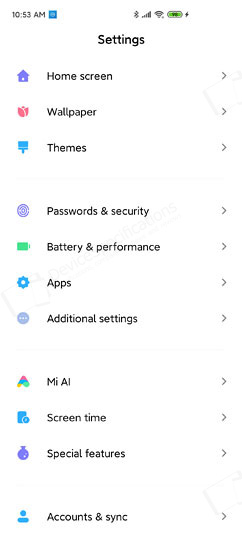


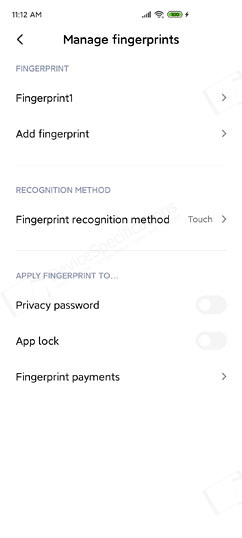
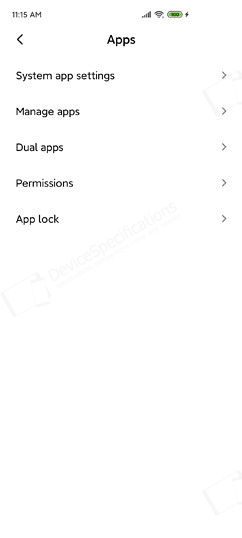
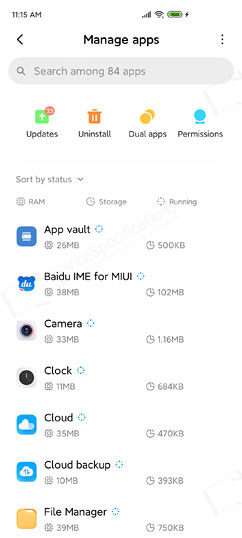
The fourth group of menus combines privacy and security features with plenty of settings. It manages the type of password (unlock) and type of unlocking - with fingerprint, face recognition, Bluetooth. From here you can also set up a privacy protection password, create a "Second space", and manage your location settings. Further privacy options and emergency SOS settings are also available. This menu is followed by the "Battery & performance" one, which we will discuss in the Battery section of this review. The third in line is Apps management, including system app settings, dual apps, permissions, and app lock - the same features available in the Security app.











Most recent reviews
A list of the most recent reviews of mobile devices made by us
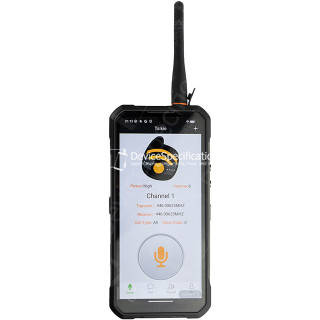
Oukitel WP61 Plus Review
Dimensions: 85 x 179.5 x 27.5 mm
Weight: 651 g
SoC: MediaTek Dimensity 7025 (MT6855V)
CPU: 2x 2.5 GHz ARM Cortex-A78, 6x 2.0 GHz ARM Cortex-A55, Cores: 8
GPU: IMG BXM-8-256, 950 MHz
RAM: 12 GB, 3200 MHz
Storage: 512 GB
Display: 6.78 in, IPS, 1080 x 2460 pixels, 24 bit
Battery: 20000 mAh, Li-Polymer
OS: Android 16
Camera: 12000 x 9000 pixels, 2560 x 1440 pixels, 25 fps
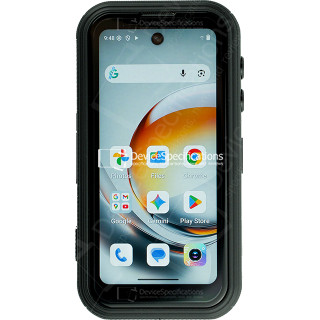
FOSSiBOT F116 Pro Review
Dimensions: 59.6 x 114.5 x 23 mm
Weight: 207 g
SoC: MediaTek Dimensity 7300 (MT6878)
CPU: 4x 2.5 GHz ARM Cortex-A78, 4x 2.0 GHz ARM Cortex-A55, Cores: 8
GPU: ARM Mali-G615 MC2
RAM: 12 GB, 2133 MHz
Storage: 256 GB
Display: 4 in, IPS, 540 x 1168 pixels, 24 bit
Battery: 3700 mAh, Li-Polymer
OS: Android 16
Camera: 8192 x 6144 pixels, 3840 x 2160 pixels, 30 fps

REDMAGIC 11 Air Review
Dimensions: 76.54 x 163.82 x 7.85 mm
Weight: 207 g
SoC: Qualcomm Snapdragon 8 Elite (SM8750-AB)
CPU: 2x 4.32 GHz, 6x 3.53 GHz, Cores: 8
GPU: Qualcomm Adreno 830, 1100 MHz
RAM: 12 GB, 16 GB, 4800 MHz
Storage: 256 GB, 512 GB
Display: 6.85 in, Q10 AMOLED, 1216 x 2688 pixels, 30 bit
Battery: 7000 mAh, Li-Polymer
OS: Red Magic OS 11.0 (Android 16)
Camera: 8182 x 6144 pixels, 7680 x 4320 pixels, 30 fps
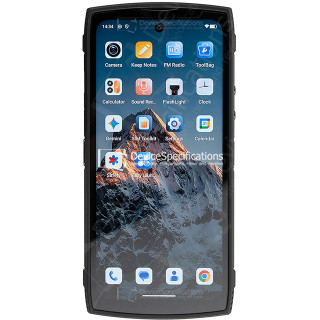
Lagenio Panther 2 Pro Review
Dimensions: 82 x 175.4 x 11.3 mm
Weight: 266 g
SoC: Unisoc T7250
CPU: 2x 1.8 GHz ARM Cortex-A75, 6x 1.6 GHz ARM Cortex-A55, Cores: 8
GPU: ARM Mali-G57 MP1, 850 MHz
RAM: 8 GB, 1866 MHz
Storage: 256 GB
Display: 6.7 in, IPS, 720 x 1600 pixels, 24 bit
Battery: 5150 mAh, Li-Polymer
OS: Android 15
Camera: 8160 x 6128 pixels, 1920 x 1080 pixels, 30 fps

Oukitel WP55 Pro Review
Dimensions: 81 x 172.2 x 15.3 mm
Weight: 360 g
SoC: MediaTek Dimensity 7025 (MT6855V)
CPU: 2x 2.5 GHz ARM Cortex-A78, 6x 2.0 GHz ARM Cortex-A55, Cores: 8
GPU: IMG BXM-8-256, 950 MHz
RAM: 16 GB, 3200 MHz
Storage: 512 GB
Display: 6.6 in, IPS, 1080 x 2408 pixels, 24 bit
Battery: 11000 mAh, Li-Polymer
OS: Android 15
Camera: 12000 x 9000 pixels, 2560 x 1440 pixels, 30 fps

FOSSiBOT F107 Pro Review
Dimensions: 90.6 x 190.1 x 39.95 mm
Weight: 910 g
SoC: MediaTek Dimensity 7300 (MT6878)
CPU: 4x 2.5 GHz ARM Cortex-A78, 4x 2.0 GHz ARM Cortex-A55, Cores: 8
GPU: ARM Mali-G615 MC2
RAM: 12 GB, 2133 MHz
Storage: 512 GB
Display: 6.95 in, IPS, 1080 x 2460 pixels, 24 bit
Battery: 28000 mAh, Li-Polymer
OS: Android 15
Camera: 16320 x 12288 pixels, 3840 x 2160 pixels, 30 fps

REDMAGIC 11 Pro Global Review
Dimensions: 76.54 x 163.82 x 8.9 mm
Weight: 230 g
SoC: Qualcomm Snapdragon 8 Elite Gen 5 (SM8850-AC)
CPU: 2x 4.61 GHz Oryon, 6x 3.63 GHz Oryon, Cores: 8
GPU: Qualcomm Adreno 840 (829), 768 MHz
RAM: 12 GB, 16 GB, 24 GB, 5333 MHz
Storage: 256 GB, 512 GB, 1024 GB
Display: 6.85 in, AMOLED, 1216 x 2688 pixels, 30 bit
Battery: 7500 mAh, Li-Polymer
OS: Red Magic OS 11 (Android 16)
Camera: 8182 x 6144 pixels, 7680 x 4320 pixels, 30 fps

Ulefone Armor Pad 5 Ultra Review
Dimensions: 269.7 x 179.5 x 27.8 mm
Weight: 1600 g
SoC: MediaTek Dimensity 7400X (MT6878V/TFZA)
CPU: 4x 2.6 GHz ARM Cortex-A78, 4x ARM Cortex-A55, Cores: 8
GPU: ARM Mali-G615 MC2
RAM: 12 GB, 2133 MHz
Storage: 512 GB
Display: 10.95 in, IPS, 1920 x 1200 pixels, 24 bit
Battery: 24200 mAh, Li-Polymer
OS: Android 15
Camera: 9280 x 6920 pixels, 3840 x 2160 pixels, 30 fps
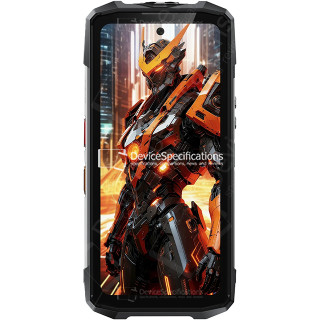
FOSSiBOT F113 Review
Dimensions: 89.2 x 186.2 x 31.6 mm
Weight: 699 g
SoC: MediaTek Dimensity 7050 (MT6877V)
CPU: 2x 2.6 GHz ARM Cortex-A78, 6x 2.0 GHz ARM Cortex-A55, Cores: 8
GPU: ARM Mali-G68 MC4, 950 MHz
RAM: 12 GB, 2133 MHz
Storage: 256 GB
Display: 6.78 in, IPS, 1080 x 2460 pixels, 24 bit
Battery: 20000 mAh, Li-Polymer
OS: Android 15
Camera: 8120 x 6180 pixels, 3840 x 2160 pixels, 30 fps