Cubot X18 Review
19 September 2017, 15:32:49

OS, UI and software
Cubot X18 runs on pure Android 7.0 Nougat out-of-the-box. If you have prior experience with Android N, you won't have problems getting around with the UI and apps. The Lock and Home screens are standard. A long tap on an empty space on the Home screen opens the Widgets menu with a choice of wallpapers and widgets. There's a shortcut to the Settings as well. The Task Manager is quite simple and does not offer split-screen mode. It is accessed from the Menu button. Speaking of the latter - the on-screen navigation bar cannot be customised in any way and definitely takes up a serious portion of screen estate. The Notifications and Quick Settings hold no surprises. The applications are listed on one screen in alphabetic order. You can access them from the App Tray on the Home screen.


Most recent reviews
A list of the most recent reviews of mobile devices made by us
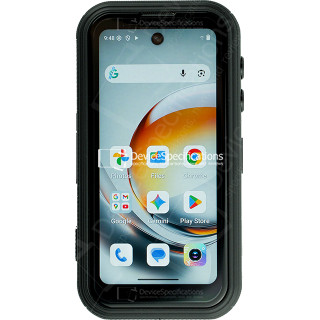
FOSSiBOT F116 Pro Review
Dimensions: 59.6 x 114.5 x 23 mm
Weight: 207 g
SoC: MediaTek Dimensity 7300 (MT6878)
CPU: 4x 2.5 GHz ARM Cortex-A78, 4x 2.0 GHz ARM Cortex-A55, Cores: 8
GPU: ARM Mali-G615 MC2
RAM: 12 GB, 2133 MHz
Storage: 256 GB
Display: 4 in, IPS, 540 x 1168 pixels, 24 bit
Battery: 3700 mAh, Li-Polymer
OS: Android 16
Camera: 8192 x 6144 pixels, 3840 x 2160 pixels, 30 fps

REDMAGIC 11 Air Review
Dimensions: 76.54 x 163.82 x 7.85 mm
Weight: 207 g
SoC: Qualcomm Snapdragon 8 Elite (SM8750-AB)
CPU: 2x 4.32 GHz, 6x 3.53 GHz, Cores: 8
GPU: Qualcomm Adreno 750, 903 MHz
RAM: 12 GB, 16 GB, 4800 MHz
Storage: 256 GB, 512 GB
Display: 6.85 in, Q10 AMOLED, 1216 x 2688 pixels, 30 bit
Battery: 7000 mAh, Li-Polymer
OS: Red Magic OS 11.0 (Android 16)
Camera: 8182 x 6144 pixels, 7680 x 4320 pixels, 30 fps
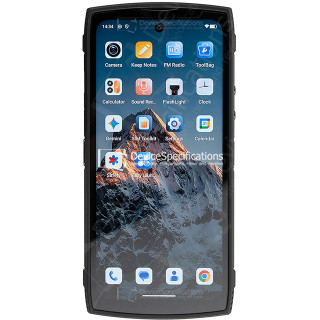
Lagenio Panther 2 Pro Review
Dimensions: 82 x 175.4 x 11.3 mm
Weight: 266 g
SoC: Unisoc T7250
CPU: 2x 1.8 GHz ARM Cortex-A75, 6x 1.6 GHz ARM Cortex-A55, Cores: 8
GPU: ARM Mali-G57 MP1, 850 MHz
RAM: 8 GB, 1866 MHz
Storage: 256 GB
Display: 6.7 in, IPS, 720 x 1600 pixels, 24 bit
Battery: 5150 mAh, Li-Polymer
OS: Android 15
Camera: 8160 x 6128 pixels, 1920 x 1080 pixels, 30 fps

Oukitel WP55 Pro Review
Dimensions: 81 x 172.2 x 15.3 mm
Weight: 360 g
SoC: MediaTek Dimensity 7025 (MT6855V)
CPU: 2x 2.5 GHz ARM Cortex-A78, 6x 2.0 GHz ARM Cortex-A55, Cores: 8
GPU: IMG BXM-8-256, 950 MHz
RAM: 16 GB, 3200 MHz
Storage: 512 GB
Display: 6.6 in, IPS, 1080 x 2408 pixels, 24 bit
Battery: 11000 mAh, Li-Polymer
OS: Android 15
Camera: 12000 x 9000 pixels, 2560 x 1440 pixels, 30 fps

FOSSiBOT F107 Pro Review
Dimensions: 90.6 x 190.1 x 39.95 mm
Weight: 910 g
SoC: MediaTek Dimensity 7300 (MT6878)
CPU: 4x 2.5 GHz ARM Cortex-A78, 4x 2.0 GHz ARM Cortex-A55, Cores: 8
GPU: ARM Mali-G615 MC2
RAM: 12 GB, 2133 MHz
Storage: 512 GB
Display: 6.95 in, IPS, 1080 x 2460 pixels, 24 bit
Battery: 28000 mAh, Li-Polymer
OS: Android 15
Camera: 16320 x 12288 pixels, 3840 x 2160 pixels, 30 fps

REDMAGIC 11 Pro Global Review
Dimensions: 76.54 x 163.82 x 8.9 mm
Weight: 230 g
SoC: Qualcomm Snapdragon 8 Elite Gen 5 (SM8850-AC)
CPU: 2x 4.61 GHz Oryon, 6x 3.63 GHz Oryon, Cores: 8
GPU: Qualcomm Adreno 840 (829), 768 MHz
RAM: 12 GB, 16 GB, 24 GB, 5333 MHz
Storage: 256 GB, 512 GB, 1024 GB
Display: 6.85 in, AMOLED, 1216 x 2688 pixels, 30 bit
Battery: 7500 mAh, Li-Polymer
OS: Red Magic OS 11 (Android 16)
Camera: 8182 x 6144 pixels, 7680 x 4320 pixels, 30 fps

Ulefone Armor Pad 5 Ultra Review
Dimensions: 269.7 x 179.5 x 27.8 mm
Weight: 1600 g
SoC: MediaTek Dimensity 7400X (MT6878V/TFZA)
CPU: 4x 2.6 GHz ARM Cortex-A78, 4x ARM Cortex-A55, Cores: 8
GPU: ARM Mali-G615 MC2
RAM: 12 GB, 2133 MHz
Storage: 512 GB
Display: 10.95 in, IPS, 1920 x 1200 pixels, 24 bit
Battery: 24200 mAh, Li-Polymer
OS: Android 15
Camera: 9280 x 6920 pixels, 3840 x 2160 pixels, 30 fps
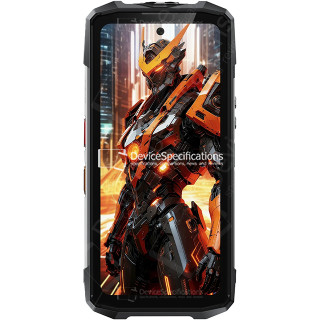
FOSSiBOT F113 Review
Dimensions: 89.2 x 186.2 x 31.6 mm
Weight: 699 g
SoC: MediaTek Dimensity 7050 (MT6877V)
CPU: 2x 2.6 GHz ARM Cortex-A78, 6x 2.0 GHz ARM Cortex-A55, Cores: 8
GPU: ARM Mali-G68 MC4, 950 MHz
RAM: 12 GB, 2133 MHz
Storage: 256 GB
Display: 6.78 in, IPS, 1080 x 2460 pixels, 24 bit
Battery: 20000 mAh, Li-Polymer
OS: Android 15
Camera: 8120 x 6180 pixels, 3840 x 2160 pixels, 30 fps
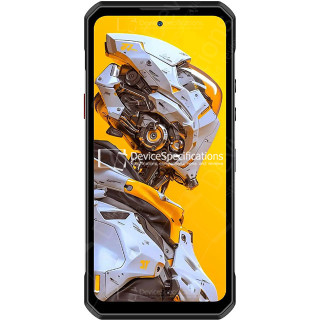
Oukitel WP60 Review
Dimensions: 87 x 184.4 x 14.9 mm
Weight: 396 g
SoC: MediaTek Dimensity 7025 (MT6855V)
CPU: 2x 2.5 GHz ARM Cortex-A78, 6x 2.0 GHz ARM Cortex-A55, Cores: 8
GPU: IMG BXM-8-256, 950 MHz
RAM: 16 GB, 3200 MHz
Storage: 512 GB
Display: 7.2 in, IPS, 720 x 1560 pixels, 24 bit
Battery: 10000 mAh, Li-Polymer
OS: Android 15
Camera: 12000 x 9000 pixels, 3840 x 2160 pixels, 30 fps