Ulefone Armor 2 Review

6 Settembre 2017, 03:54:25

Ulefone Armor 2 Review
The review unit has been provided by GearBest.com.

OS, UI and software

Just like Ulefone T1, the Armor 2 runs stock Android 7.0 Nougat. There are only very little differences in the out-of-the-box UI and software of the two devices. We will note them whenever appropriate. While there's a difference in the pre-saved wallpapers, the Lock and Home screens are almost identical between the two devices. The Lock one contains shortcuts to the Voice search and Camera app. A plus in the Armor 2 is the icon for the user management options. A swipe lands you on the Home screen with a folder for Google's apps, Play Store and a docked row of apps along with a search and clock widget. The navigation bar is on-screen only and you can opt for it to hide or not. A swipe to the right opens the "Ok Google" screen. The applications are accessed from the App Tray in the docked row and are listed in alphabetical order on one screen with a search bar on its top. The Task Manager is accessed by tapping on the Menu button from the onscreen navigation bar. It offers the stock split-screen functionality, of course. The Clear All option is placed on top of the tiled list of applications. A not very useful thing is that it disappears if the apps are too many. You have to scroll through them to reach the top one in order to see the Clear All button.
The Notifications and Quick Settings are stock ones and accessed in the usual ways. There's a user management icon in the Quick Settings and from the Settings cog, you can activate the System UI Tuner, if you long-touch it. A long-touch on an empty space on the Home screen opens the Widgets menu from where you can change the wallpaper, add widgets and switch on/off the "Ok Google" screen. The Volume and Power off shades are classic.
The Settings menu includes almost all features we've seen on devices running Android 7.0 Nougat. On the top of the list of menus is the mobile data status row, followed by several rows of suggestions, which you can individually close, collapse, or collapse the whole group. When you enter whichever of the menus the hamburger menu icon appears in the top left corner as an alternative way of navigating through the Settings. Of course, the first group of options is called Wireless & networks. It contains all settings for wireless connections, mobile data and SIM cards, including Wi-Fi, Hotspot, Bluetooth, NFC and Android Pay, etc. The second major group is dubbed Device and manages every main aspect of the handset starting off with the Display. This menu contains the usual MiraVision settings, which let you tweak the screen the way you like it (make sure the User mode is selected).
The usual Brightness level, Adaptive brightness, Font size, and Cast display features, it also contains calibrators for the proximity and g-sensor. The Device group holds no surprises and continues with the classic Notifications settings, including options for showing notifications on the Lock screen or not and the Sound management menu with the usual sliders for Media, Alarm and Ring volume, DND options, various default ringtones, sound enhancement, etc. The list continues with the Apps menu containing App permissions, default app settings, special access features and individual app settings. The group continues with the Battery, Storage, and Memory menus, which are followed by the Users one. It contains the usual opportunities for switching between users authorised to use the device and the emergency data. The last menu from the Device group of settings is called DuraSpeed. We've seen that on the Ulefone T1 already and by default, it is turned off. This service restricts background processes and boosts foreground ones. It contains a whitelist, where you can add apps that should be excluded from this restriction if DuraSpeed is on. The Smart Assistant group is enriched compared to the T1 and besides the options for the LED notification light, System motion toggles, and Off-screen gestures, it also contains two new services. The first is the Eyebrow mode, which is a very odd to name an eye-protection feature against blue light emitted from the screen. There are two main services here. The first is a toggle for the blue light filter, which if turned on allows you to adjust the strength of this filter - the stronger it is, the warmer the colours appear on the screen. The More mode toggle activates three pre-set profiles for three different environments - night, outdoor, and sleep mode. The second new services under Smart Assistant is the One-handed mode, with which you must be already familiar with, especially from the numerous Oukitel smartphones we have reviewed.
This group of settings also includes the Screen recording feature, Network access control one and the Buttons menu. The latter allows you to switch the places of the Menu and Back buttons as well as make the onscreen navigation bar hideable or not. The Personal group of settings comes fourth and under it, you can manage the usual features: Location, Security, Accounts, Google, Language & input, Backup & reset. Unlike the Ulefone T1, the Armor 2 has the Fingerprint menu listed as a separate service from the Security one. The latter allows you to set a screen lock, Smart Lock, delete or rename a fingerprint ID, Encrypt the phone and all the usual security services available by default. The Fingerprint menu contains toggles for various functions of the sensor when tapped and long-touched. The Google menu contains full-blown default options, so does the Languages & input menu with the option to add more than one primary language, physical keyboard settings, etc. The fifth and last group of settings is named System. It includes the usual Date & time menu, Accessibility, Printing, Schedule power on & off, System UI Tuner (visible when activated), and About phone. At the moment of this review, our unit runs the latest software version for the model.
Ulefone Armor 2 lacks any bloatware. It does arrive with Google's usual services such as Calendar, Chrome, Drive, Duo, Gallery, Gmail, Google, Maps, Photos, Play Music, Play Store, Voice Search, You Tube. The default applications provided on board include Calculator, Camera, Clock, Contacts, Downloads, File Manager, FM Radio, Messenger, Music, Phone, and Sound Recorder. There are only four apps that are not default ones, but having in mind this is a rugged device intended to be used mainly outdoors and in harsh environments, they do seem quite logical to be there. The first is the ETWS (earthquake and tsunami warning system). The second is the SOS one, which allows you to beam out an SOS signal in three different ways - with the flashlight, sound alarm, or screen flash. Zello turns your phone in a Walkie Talkie. Finally, the Outdoor Toolbox application contains a number of features such as a sound meter, compass, flashlight, level and alignment tools, heart rate measurement (via the camera sensor), altitude meter, magnifier, alarm, pedometer, plumb bob, protractor, and pressure.

Recensioni più recenti

Lista di recensioni più recenti su dispositivi mobili fatte da noi
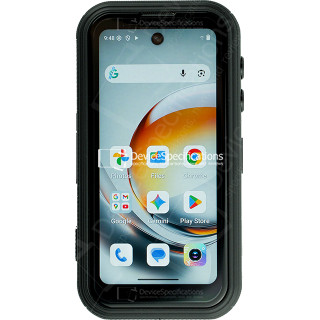
FOSSiBOT F116 Pro Review

FOSSiBOT F116 Pro Review

Dimensioni: 59.6 x 114.5 x 23 mm
Peso: 207 g
SoC: MediaTek Dimensity 7300 (MT6878)
Processore: 4x 2.5 GHz ARM Cortex-A78, 4x 2.0 GHz ARM Cortex-A55, Numero di core: 8
Processore grafico: ARM Mali-G615 MC2
Memoria RAM: 12 GB, 2133 MHz
Memoria interna: 256 GB
Display: 4 in, IPS, 540 x 1168 pixel, 24 bit
Batteria: 3700 mA·h, Li-Polymer (litio-ione-polimero)
Sitema operativo: Android 16
Fotocamera: 8192 x 6144 pixel, 3840 x 2160 pixel, 30 fps

REDMAGIC 11 Air Review

REDMAGIC 11 Air Review

Dimensioni: 76.54 x 163.82 x 7.85 mm
Peso: 207 g
SoC: Qualcomm Snapdragon 8 Elite (SM8750-AB)
Processore: 2x 4.32 GHz, 6x 3.53 GHz, Numero di core: 8
Processore grafico: Qualcomm Adreno 750, 903 MHz
Memoria RAM: 12 GB, 16 GB, 4800 MHz
Memoria interna: 256 GB, 512 GB
Display: 6.85 in, Q10 AMOLED, 1216 x 2688 pixel, 30 bit
Batteria: 7000 mA·h, Li-Polymer (litio-ione-polimero)
Sitema operativo: Red Magic OS 11.0 (Android 16)
Fotocamera: 8182 x 6144 pixel, 7680 x 4320 pixel, 30 fps
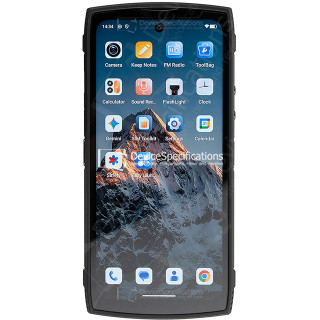
Lagenio Panther 2 Pro Review

Lagenio Panther 2 Pro Review

Dimensioni: 82 x 175.4 x 11.3 mm
Peso: 266 g
SoC: Unisoc T7250
Processore: 2x 1.8 GHz ARM Cortex-A75, 6x 1.6 GHz ARM Cortex-A55, Numero di core: 8
Processore grafico: ARM Mali-G57 MP1, 850 MHz
Memoria RAM: 8 GB, 1866 MHz
Memoria interna: 256 GB
Display: 6.7 in, IPS, 720 x 1600 pixel, 24 bit
Batteria: 5150 mA·h, Li-Polymer (litio-ione-polimero)
Sitema operativo: Android 15
Fotocamera: 8160 x 6128 pixel, 1920 x 1080 pixel, 30 fps

Oukitel WP55 Pro Review

Oukitel WP55 Pro Review

Dimensioni: 81 x 172.2 x 15.3 mm
Peso: 360 g
SoC: MediaTek Dimensity 7025 (MT6855V)
Processore: 2x 2.5 GHz ARM Cortex-A78, 6x 2.0 GHz ARM Cortex-A55, Numero di core: 8
Processore grafico: IMG BXM-8-256, 950 MHz
Memoria RAM: 16 GB, 3200 MHz
Memoria interna: 512 GB
Display: 6.6 in, IPS, 1080 x 2408 pixel, 24 bit
Batteria: 11000 mA·h, Li-Polymer (litio-ione-polimero)
Sitema operativo: Android 15
Fotocamera: 12000 x 9000 pixel, 2560 x 1440 pixel, 30 fps

FOSSiBOT F107 Pro Review

FOSSiBOT F107 Pro Review

Dimensioni: 90.6 x 190.1 x 39.95 mm
Peso: 910 g
SoC: MediaTek Dimensity 7300 (MT6878)
Processore: 4x 2.5 GHz ARM Cortex-A78, 4x 2.0 GHz ARM Cortex-A55, Numero di core: 8
Processore grafico: ARM Mali-G615 MC2
Memoria RAM: 12 GB, 2133 MHz
Memoria interna: 512 GB
Display: 6.95 in, IPS, 1080 x 2460 pixel, 24 bit
Batteria: 28000 mA·h, Li-Polymer (litio-ione-polimero)
Sitema operativo: Android 15
Fotocamera: 16320 x 12288 pixel, 3840 x 2160 pixel, 30 fps

REDMAGIC 11 Pro Global Review

REDMAGIC 11 Pro Global Review

Dimensioni: 76.54 x 163.82 x 8.9 mm
Peso: 230 g
SoC: Qualcomm Snapdragon 8 Elite Gen 5 (SM8850-AC)
Processore: 2x 4.61 GHz Oryon, 6x 3.63 GHz Oryon, Numero di core: 8
Processore grafico: Qualcomm Adreno 840 (829), 768 MHz
Memoria RAM: 12 GB, 16 GB, 24 GB, 5333 MHz
Memoria interna: 256 GB, 512 GB, 1024 GB
Display: 6.85 in, AMOLED, 1216 x 2688 pixel, 30 bit
Batteria: 7500 mA·h, Li-Polymer (litio-ione-polimero)
Sitema operativo: Red Magic OS 11 (Android 16)
Fotocamera: 8182 x 6144 pixel, 7680 x 4320 pixel, 30 fps

Ulefone Armor Pad 5 Ultra Review

Ulefone Armor Pad 5 Ultra Review

Dimensioni: 269.7 x 179.5 x 27.8 mm
Peso: 1600 g
SoC: MediaTek Dimensity 7400X (MT6878V/TFZA)
Processore: 4x 2.6 GHz ARM Cortex-A78, 4x ARM Cortex-A55, Numero di core: 8
Processore grafico: ARM Mali-G615 MC2
Memoria RAM: 12 GB, 2133 MHz
Memoria interna: 512 GB
Display: 10.95 in, IPS, 1920 x 1200 pixel, 24 bit
Batteria: 24200 mA·h, Li-Polymer (litio-ione-polimero)
Sitema operativo: Android 15
Fotocamera: 9280 x 6920 pixel, 3840 x 2160 pixel, 30 fps
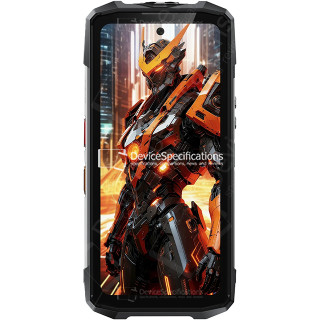
FOSSiBOT F113 Review

FOSSiBOT F113 Review

Dimensioni: 89.2 x 186.2 x 31.6 mm
Peso: 699 g
SoC: MediaTek Dimensity 7050 (MT6877V)
Processore: 2x 2.6 GHz ARM Cortex-A78, 6x 2.0 GHz ARM Cortex-A55, Numero di core: 8
Processore grafico: ARM Mali-G68 MC4, 950 MHz
Memoria RAM: 12 GB, 2133 MHz
Memoria interna: 256 GB
Display: 6.78 in, IPS, 1080 x 2460 pixel, 24 bit
Batteria: 20000 mA·h, Li-Polymer (litio-ione-polimero)
Sitema operativo: Android 15
Fotocamera: 8120 x 6180 pixel, 3840 x 2160 pixel, 30 fps
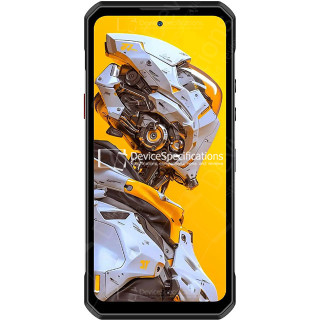
Oukitel WP60 Review

Oukitel WP60 Review

Dimensioni: 87 x 184.4 x 14.9 mm
Peso: 396 g
SoC: MediaTek Dimensity 7025 (MT6855V)
Processore: 2x 2.5 GHz ARM Cortex-A78, 6x 2.0 GHz ARM Cortex-A55, Numero di core: 8
Processore grafico: IMG BXM-8-256, 950 MHz
Memoria RAM: 16 GB, 3200 MHz
Memoria interna: 512 GB
Display: 7.2 in, IPS, 720 x 1560 pixel, 24 bit
Batteria: 10000 mA·h, Li-Polymer (litio-ione-polimero)
Sitema operativo: Android 15
Fotocamera: 12000 x 9000 pixel, 3840 x 2160 pixel, 30 fps